
Summary
Keywords
Full Transcript
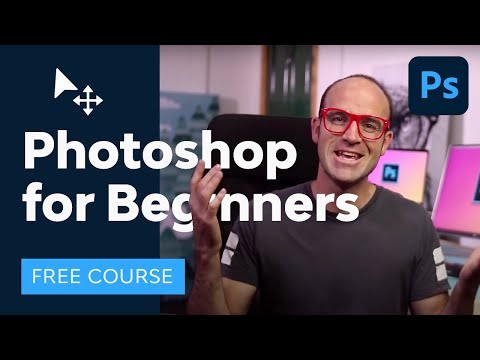
Learn Adobe Photoshop with this amazing FREE course. ► The broadest range of asset categories, all in one place: https://elements.envato.com/?utm_campaign=yt_tutsplus_IyR_uYsRdPs&utm_medium=referral&utm_source=youtube.com&utm_content=description Go from beginner to pro in 23 lessons exploring all the essential Photoshop tools and techniques. You'll start at the beginning and work quickly into more exciting techniques. Learn how to use Photoshop layer styles, how to change color levels, how to retouch and manipulate images, and much more. If you're a photographer, marketer, or designer, this course will give you the core skills you need. Read more of Photoshop for Beginners on Envato Tuts+: https://design.tutsplus.com/adobe-photoshop-for-beginners--ytc-20c?utm_campaign=yt_tutsplus_IyR_uYsRdPs&utm_medium=referral&utm_source=youtube.com&utm_content=description Source Files: https://s3.amazonaws.com/cms-assets.tutsplus.com/uploads/users/71/courses/1191/attachment/SourceFiles-FromTopAdobePhotoshopBeginners.zip 1. Introduction 00:00:00 1.1 Welcome to the Course 00:01:50 1.2 Getting Started 2. Layers 00:03:10 2.1 How Photoshop Layers Work 00:12:06 2.2 Combining Multiple Images 3. Color and Adjustment Layers 00:20:40 3.1 Tone Adjustment With Levels 00:25:17 3.2 Color Adjustment 00:29:21 3.3 Hue Adjustments 4. Text 00:37:42 4.1 How to Work With Type 00:49:37 4.2 Warped Type and Type on a Path 5. Layer Styles 01:07:17 5.1 Layer Styles and Effects 6. Cropping and Resizing 01:24:46 6.1 How to Crop 01:32:08 6.2 Resizing and Resolution 7. Selections and Masking 01:41:49 7.1 Rectangle and Elliptical Marquee Tool 01:47:58 7.2 Clipping Masks 01:52:27 7.3 Quick Selection Tool 02:00:18 7.4 Layer Masks 02:06:25 7.5 Select and Mask 8. Smart Objects 02:18:38 8.1 Understanding Photoshop Smart Objects 9. Transform & Warp 02:30:09 9.1 Transforming and Warping Layers 10. Retouching 02:37:58 10.1 Retouching With the Photoshop Healing Brush 02:45:55 10.2 Content-Aware Scale 11. Exporting 02:54:11 11.1 Exporting Images 12. Conclusion 03:04:49 12.1 What Next? • @tutsplusdesign on Twitter https://twitter.com/TutsPlus • @danlovesadobe on Twitter https://twitter.com/danlovesadobe • @bringyourownlaptop on Instagram https://www.instagram.com/bringyourownlaptop/ Font Used for Mothers Day Sale: https://www.fontspring.com/fonts/Thomas-Jockin/azote ► Learn more Photoshop with Envato Tuts+ where you can find 100 Great Photoshop Tutorials for Clever Beginners: https://design.tutsplus.com/articles/50-great-photoshop-tutorials-for-clever-beginners--psd-785?utm_campaign=yt_tutsplus_IyR_uYsRdPs&utm_medium=referral&utm_source=youtube.com&utm_content=description ► Find 100 Free Photoshop Actions (And How to Make Your Own) https://design.tutsplus.com/articles/100-free-photoshop-actions-and-how-to-make-your-own--photo-3502?utm_campaign=yt_tutsplus_IyR_uYsRdPs&utm_medium=referral&utm_source=youtube.com&utm_content=description ► Discuss on the Envato Forums: https://forums.envato.com/c/project-making/envato-courses-and-tutorials?utm_campaign=yt_tutsplus_IyR_uYsRdPs&utm_medium=referral&utm_source=youtube.com&utm_content=description - - - - - - - - - - - - - - - - - - - - - - - - - - - - - - - - - - - - - - - Envato Tuts+ Discover free how-to tutorials and online courses. Design a logo, create a website, build an app, or learn a new skill: https://tutsplus.com/?utm_campaign=yt_tutsplus_IyR_uYsRdPs&utm_medium=referral&utm_source=youtube.com&utm_content=description ► Subscribe to Envato Tuts+ on YouTube: https://www.youtube.com/tutsplus ► Follow Envato on X: https://twitter.com/envato ► Follow Envato on TikTok: https://www.tiktok.com/@envato ► Follow Envato on Instagram: https://www.instagram.com/envato/ ► Follow Envato on Facebook: https://www.facebook.com/envato ► Explore Envato's full stack of AI tools, all included in your subscription: https://labs.envato.com/?utm_campaign=yt_tutsplus_IyR_uYsRdPs&utm_medium=referral&utm_source=youtube.com&utm_content=description

Continue this lesson in the app
Install CourseHive on Android or iOS to keep learning while you move.





