
Summary
Keywords
Full Transcript
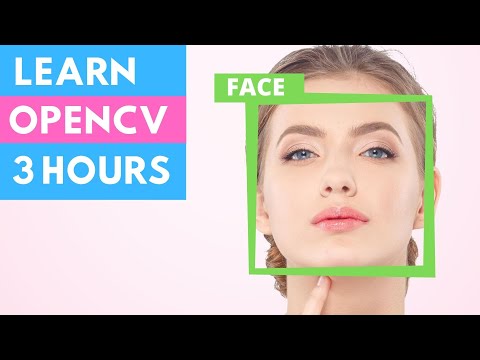
In this video, we are going to learn everything required to get started with OpenCV in Python. We will be using Python since it is one of the most popular programming languages. And it has opened numerous job opportunities in various sectors. We will start from the installation process right up to creating exciting projects such as detecting colors, shapes humans, and even vehicle number plates. So If you are a beginner don't worry this course is for you. We will skip all the boring theory stuff and focus on the practical implementation. So you can get the computer vision skill set you have always wanted in your CV. By the end of the course, you will become familiar with the core principle of OpenCV and apply different techniques to solve real-world problems using computer vision. 🚀🚀 My Urdu/Hindi AI Youtube Channel 🚀🚀 https://www.youtube.com/@murtazahassan01 Code & Text Based Version: https://www.computervision.zone/courses/learn-opencv-in-3-hours/ Premium Courses: ✔️ Computer Vision Game Development Course: https://bit.ly/3ttLZ2s ✔️ Computer Vision with Arduino Course: https://bit.ly/3wzLB4m ✔️ Advanced Drone Programming Course: https://bit.ly/3qs3v5g ✔️ Learn to Build Computer Vision Mobile Apps: https://bit.ly/3uioY1J ✔️ Jetson Nano Premium Course: https://bit.ly/3L8uIlF ⚙️⚙️⚙️—-My Gear — ⚙️⚙️⚙️ 👉 Complete Gear 💈: https://www.computervision.zone/tech-gear/ 👉 My PC Specs 🖥️: https://www.computervision.zone/tech-gear/filter/tax/tgcat:285/ 👉 My Video Shooting Gear📽️ : https://www.computervision.zone/tech-gear/filter/tax/tgcat:284/ 👉 My Laptops 💻: https://www.computervision.zone/tech-gear/filter/tax/tgcat:290/ 👉 Educational Products🧑🎓: https://www.computervision.zone/tech-gear/filter/tax/tgcat:295/ 👉 Youtube Starter Kit 🔴: https://www.computervision.zone/tech-gear/filter/tax/tgcat:299/ Follow Me: TikTok: https://bit.ly/3Vo76OQ Facebook Group: https://bit.ly/3irDcb7 Discord: https://bit.ly/3JvyxAM Facebook Page: https://bit.ly/3IvpU7W Instagram : https://bit.ly/3NdGME3 Website: https://bit.ly/3ICFTS0 Github: https://bit.ly/3woU6PS #ComputerVision #OpenCV #CVZone Time Stamps: 00:00 Intro 2:17 Introduction to Images 4:37 Installations 9:09 Chapter 1 17:01 Chapter 2 27:31 Chapter 3 34:12 Chapter 4 44:59 Chapter 5 50:04 Chapter 6 56:14 Chapter 7 1:15:37 Chapter8 1:40:31 Chapter 9 1:46:03 Project 1 2:15:45 Project 2 2:56:34 Project 3 Download Links: PyCharm Community edition: https://www.jetbrains.com/pycharm/download/ Python: 3.7.6: https://www.python.org/downloads/release/python-376/

Continue this lesson in the app
Install CourseHive on Android or iOS to keep learning while you move.




![SEO Course [2026 Updated]](https://i.ytimg.com/vi/HeeUHugrG5U/hqdefault.jpg)
