
Summary
Keywords
Full Transcript
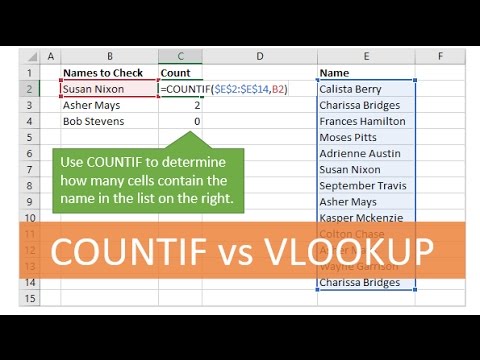
Sign up for our Excel webinar, times added weekly: https://www.excelcampus.com/blueprint-registration/ Learn how to use the COUNTIF function instead of VLOOKUP to determine if a value exists in a list or range. This video is from the Ultimate Lookup Formulas Course, which is now part of our Elevate Excel Training Program. Please click the link below to learn more about the program. http://www.excelcampus.com/elevate COUNTIF is a really easy function that will allow you to quickly determine how many cells contain a value/criteria in a range. Here are 3 reasons to use COUNTIF instead of VLOOKUP (when you just want to see if a value exists in a range of cells): 1. The COUNTIF function only has two arguments making it really fast and easy to write the formula. VLOOKUP has four arguments. 2. COUNTIF returns the total number of matching values in the range, so you can see if there is more than one matching value. VLOOKUP cannot do this, it only returns the first match. 3. If the value does not exist, COUNTIF will return a zero (0). You do not need to worry about a formula error. With VLOOKUP, the formula would return an error and you would use the IFERROR function to handle the error. Click here to read the entire blog post. http://www.excelcampus.com/functions/how-to-use-countif-instead-of-vlookup 00:00 Introduction 00:12 Countif Function 02:37 Outro

Continue this lesson in the app
Install CourseHive on Android or iOS to keep learning while you move.





