
Summary
Keywords
Full Transcript
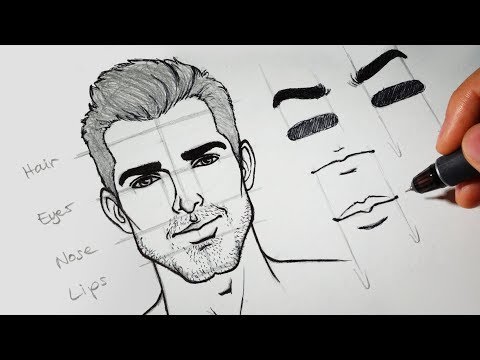
Learn how to easily draw a face from scratch and redesign it till you're satisfied! You can create unlimited characters just by tweaking facial features a little bit here and there (change the size, angle, length, width, position, etc..) My background is in traditional pencil art, so the awesome thing about working with the Wacom Intuos Pro Paper tablet is I can freely sketch my ideas in pencil, trace it with REAL ink and instantly have a digital copy at the press of a button, which I can then easily edit, rearrange or color using the stylus. As someone who's new to digital art, this workflow makes the transition very smooth and super duuuuuper fun! To learn more about the tablet, click here: - https://www.wacom.com/en/products/pen-tablets/wacom-intuos-pro-paper - http://rapidfireart.com/2017/09/15/wacom-intuos-pro-paper-edition-unboxing-first-impressions/ ✏️❤️ TOOLS I USED Derwent HB Pencil: https://amzn.to/2BfRtFa Wacom Intuos Pro Paper Edition Tablet: https://amzn.to/2BpIgdB Canson Sketch Paper: https://amzn.to/2wbsj4N Prismacolor Kneadable Eraser: https://amzn.to/2MPzGpJ Mono Plastic Eraser Photoshop ⏰ SKIP TO TIMESTAMP ⏰ Preliminary guidelines (Pencil): 0:55 Draw facial features: 3:32 Eyes: 3:32 Eyebrows: 4:25 Nose: 5:05 Lips: 6:12 Ears: 8:14 Hair: 8:41 Cheeks: 9:41 Jawline/Chin: 9:48 Neck, shoulders, etc: 10:46 Inking process (Gel Ink Pen): 11:37 Digitized drawing in Inkspace: 12:28 Files imported to Photoshop: 12:37 Design extra features (eyebrows + lips + facial hair): 12:56 Character design (rearrange/choose facial features): 15:41 Coloring: 17:30 More characters I made by doing small tweaks to the original face: 18:08 This is not a sponsored video :) DISCLAIMER This content contains affiliate links. If you decide to make a purchase through the link, I will make a small commission at no additional cost to you. This helps fund free tutorials on the RFA channel and website. Thank you for your support!

Continue this lesson in the app
Install CourseHive on Android or iOS to keep learning while you move.





