
Summary
Keywords
Full Transcript
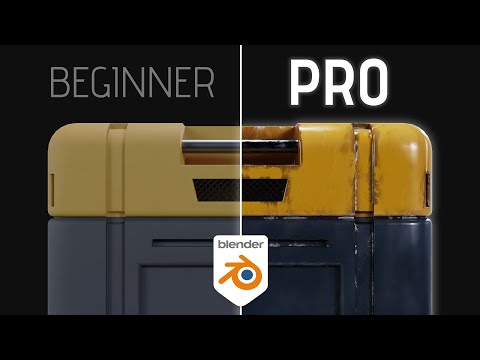
In this video I'll show you how to create smart materials in Blender! This will help you take your shading skills to the next level. 🆓 FREE Sci-Fi Crate model; https://bit.ly/3z7Keuj 🆓 #b3d #blender3d #kaizentutorials ----------------------------------------------------------------------------------------- ⛩️ Join the Patreon to support the channel; https://www.patreon.com/kaizentutorials ⛩️ ----------------------------------------------------------------------------------------- My FREE 3D models: https://than.gs/u/1157780 Join the Kaizen Discord: https://discord.gg/BXKa8akYuk ----------------------------------------------------------------------------------------- ➕ Addons You Need: Fractal Machine - https://bit.ly/bnfractal Sanctus Material Library - https://bit.ly/3TWhKMe Botaniq Foliage Library - https://bit.ly/BotaniqKaizen Physical Celestial Objects - https://bit.ly/PCOkaizen Physical Starlight Atmosphere - https://bit.ly/PSAkaizen Gobos Light Textures - https://bit.ly/Gobos ----------------------------------------------------------------------------------------- 📚 My Favorite Blender Courses: Blender Launch Pad - https://bit.ly/BlenderLaunchPad Hard Surface Game Asset Course - https://bit.ly/HardsurfaceBlenderBros Cubic Worlds - https://bit.ly/cubicworlds Master 3D Sculpting in Blender - https://bit.ly/3VLxwtW Intro to Motion Graphics - https://bit.ly/MotionGraphicsDucky The Art of Effective Rigging - https://bit.ly/3XbwfxE Alive! Animation Course in Blender - https://bit.ly/3XbwfxE Master 3D Sculpting in Blender - https://bit.ly/3VLxwtW Master 3D Environments in Blender - https://bit.ly/MasterEnvironments ----------------------------------------------------------------------------------------- Chapters: 00:00 Intro 00:22 Starting the Basecolor 02:20 Creating a Curvature Map 03:24 Setting up an Edge Mask 04:37 Creating an Ambient Occlusion mask 05:31 Setting up our Smart Material Basecolor 07:25 The finished Basecolor setup 07:41 Adding our Metalness map 08:03 Setting up the Roughness map 09:55 The final value - Normal map 10:31 Why is this a 'Smart Material'? 11:00 Outro ----------------------------------------------------------------------------------------- 🗣️ Socials: Insta - @Kaizentutorials Twitter - @kaizentutorials ----------------------------------------------------------------------------------------- 🎶 Music: Epidemic Sound https://share.epidemicsound.com/73h5ua ----------------------------------------------------------------------------------------- *Some links are affiliate links on which I receive a kickback*

Continue this lesson in the app
Install CourseHive on Android or iOS to keep learning while you move.




