
Summary
Keywords
Full Transcript
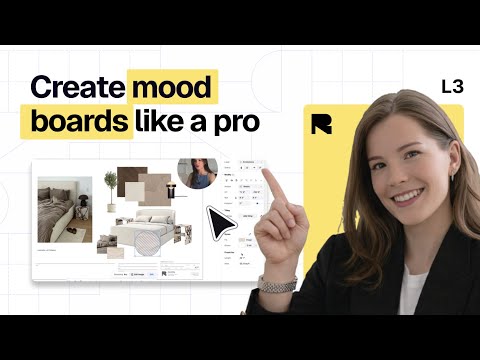
Create stunning mood boards for interior design and architecture projects using Rayon’s AI tools, real-time collaboration, and reusable templates. 🚀 Signup to Rayon Design (for free): https://rayon.design/r/interior_design_fundamentals_course 🔗 Use the free course template: https://rayon.design/r/template_interior_design_fundamentals_course ❔ Have questions? Book a demo: https://rayon.design/r/interior_design_fundamentals_demo 📚 Learn more about Rayon in our documentation: https://docs.rayon.design/ In this tutorial, we dive into how to use mood boards strategically to elevate your interior design or architectural projects. Learn to build conceptual and project-specific boards, import images seamlessly, and use Rayon’s AI features to enhance visuals. See how to place your designs alongside floor plans and sections, add text and product links, and collaborate with your team in real time. Plus, discover how to turn your boards into reusable templates for faster project workflows and polished presentations. 00:00 Intro 01:08 Using Mood Boards Strategically: Explore the different types of mood boards and when to use each. 02:15 Conceptual & Project-Specific Boards: Learn how to create a conceptual mood board and a project-specific collage. 03:08 Building Your Mood Board: Copy and paste images directly from your browser or import them from your desktop into Rayon. 05:05 AI Image Editing in Rayon: Upscale images or remove backgrounds instantly using Rayon's AI tools. 09:50 Contextual Placement: Position your mood board elements alongside floor plans and sections for clear visual communication. 13:33 Adding Data & Links: Enhance your boards with text and hyperlinks that link directly to your products in one click. 15:26 Team Collaboration: Invite teammates to your models, collaborate in real time, and add comments and annotations seamlessly. 15:59 Shareable Mood Boards: Share a live URL of your design presentation, always up to date. 17:16 Reusable Templates: Turn your mood board presentations into templates for quick reuse in future projects. 18:14 Outro --- Follow Rayon on... 🌍 Join our community: https://community.rayon.design/ Instagram: https://www.instagram.com/rayon.design/ TikTok: https://www.tiktok.com/@rayon.design LinkedIn: https://www.linkedin.com/company/rayon-app/?viewAsMember=true Twitter: https://twitter.com/Rayonapp Pinterest: https://fr.pinterest.com/rayonapp/ Read our blog: https://www.rayon.design/blog Discover our resources: https://www.rayon.design/knowledge-base Download our assets: https://www.rayon.design/assets/libraries --- #interiordesign #interiordesigner #architecture #collaboration #section #elevation #layout #floorplans #floorplan #drawings #drawing #rayon #rayonapp #cadblocks #blocks #furniture #furnituredesign #interiorarchitecture #interiorarchitectureanddesign #design

Continue this lesson in the app
Install CourseHive on Android or iOS to keep learning while you move.




