
Summary
Keywords
Full Transcript
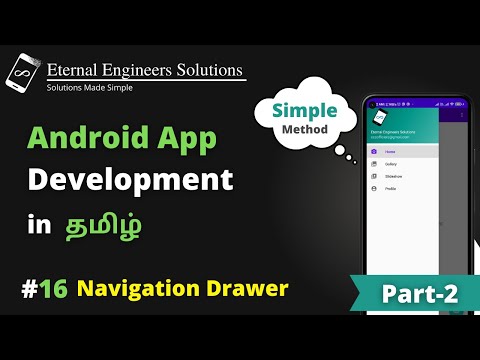
#navigationdrawer #appdevelopment #androidstudio #tutorial Hey Guys, this is a part 2 video on navigation drawer, we will learn how to set profile image and change the existing contents in navigation drawer in android studio. Android Studio is a great platform for creating apps that can be deployed on the google play store. If you're new to the series go and check out the Android app development Playlist. There, you will be able to see how to create basic apps so you can become a developer. What is Navigation Drawer? Android Navigation Drawer is a sliding left menu that is used to display the important links in the application. Navigation drawer makes it easy to navigate to and fro between those links. It's not visible by default and it needs to opened either by sliding from left or clicking its icon in the ActionBar. ============================== 🔴 Android App Development Course ============================== https://www.youtube.com/playlist?list=PLw5cdtxuQ4YT9-spIvL0-6k3M_fRLXMNw 🔴 Game Development =============================== https://youtube.com/playlist?list=PLw5cdtxuQ4YSrzGJMT2BB8HxpFrOlkkdu 🔴 Html & CSS Tutorial ============================== https://youtube.com/playlist?list=PLw5cdtxuQ4YSTJsVaZOn2b8tIlDr4DCGu 🔴 Web Application Development using Django Course ============================== https://youtube.com/playlist?list=PLw5cdtxuQ4YQdYpoNqV6HWYF5B_CuFX2P 🔴 Adobe XD Tutorial ============================== https://youtube.com/playlist?list=PLw5cdtxuQ4YRDIR1Ye9sY-rRt_ck96nS3 🔴 Wordpress Development Tutorials ============================== https://www.youtube.com/playlist?list=PLw5cdtxuQ4YTT-I0dxYZ3LF63g09ONCe7 🔴 Learn in 5 Minutes ============================== https://www.youtube.com/playlist?list=PLw5cdtxuQ4YSYxcSapUfE5s90gWbdZVXn 🔴 Just Information =============================== https://www.youtube.com/playlist?list=PLw5cdtxuQ4YSBzw7QuD5WWt0w2LRH_LUG 🔴 Tell me why? =============================== https://www.youtube.com/playlist?list=PLw5cdtxuQ4YQJ-vIvZtOqzK8rTQ4vr5n7. #EternalEngineersSolutions Connect us on social media so you will find my entire tutorial at first. If that sounds like something that could help grow your business, then make sure to join me by subscribing! ➥➥➥ SUBSCRIBE FOR MORE VIDEOS ➥➥➥ Never miss any video. Subscribe ⇢ https://www.youtube.com/channel/UCnKT1wmNUa_gQwDDNJVbU4g?sub_confirmation=1 ✅ For Branding & Business Inquiries =========================== ✅ ► [email protected] ✅ Facebook: ============================== https://www.facebook.com/EternalEngineers/ ✅ Instagram ====================== https://www.instagram.com/eternal_engineers_solutions/ ✅ Our Website ============================== http://eternalengineerssolutions.com =========== http://eternalengineerssolutions.com

Continue this lesson in the app
Install CourseHive on Android or iOS to keep learning while you move.





