
Summary
Keywords
Full Transcript
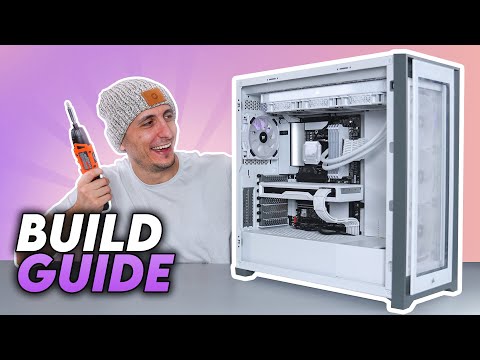
Updated Build guide 2024: https://youtu.be/Mho0M1Ns0Rw ▶Windows 10 Pro OEM key $15: https://www.urcdkey.com/uk/WINDOWSTS 20% code: TS20 ▶How To Fix Your PC: https://bit.ly/3cLlyx2 --------------------------------------------------------------------------------------- ▶PC Parts - US◀ Ryzen 7 5800X: https://amzn.to/3g2mvTB AMD RX 6800 (Custom painted): https://amzn.to/39Y5Lcd Corsair 5000X RGB: https://amzn.to/39Z6hqC Corsair RM850x: https://amzn.to/3s2JEHN Corsair Vengeance Pro RGB 32GB: https://amzn.to/3mxD2Ah Corsair MP600 2TB M.2 SSD: https://amzn.to/3mwvGwW Corsair H150i Elite Cappelix: https://amzn.to/324Yx1G Gigabyte B550 Vision D: https://amzn.to/39Uwias ▶Recommended/Alternate Parts◀ Electric Screwdriver set: https://amzn.to/3P6TRBl PC Building Mat: https://amzn.to/39Ht3D9 Arctic Freezer 7X Cooler: https://amzn.to/3uquWw9 UpHere Black Cooler: https://amzn.to/39ECQKq Vetroo V5 White Cooler: https://amzn.to/3dyyqpk ID Cooling: https://amzn.to/3mhrxfY Thermal Paste: https://amzn.to/2OkhIl9 99% Isopropyl Alcohal: https://amzn.to/3dx9EpF 9 Pin USB Header 2 Ports: https://amzn.to/4aacEEZ 9 Pin USB header 4 Ports: https://amzn.to/3duRAfO 5 Port Fan Hub: https://amzn.to/3wrnwdO 10 Port Fan Hub: https://amzn.to/3cOq3H7 --------------------------------------------------------------------------------------- ▶PC Parts - Canada◀ Ryzen 7 5800X: https://amzn.to/3t7popP AMD RX 6800 (Custom painted): https://amzn.to/3dRcyWu Corsair 5000X RGB: https://amzn.to/3myk904 Corsair RM850x: https://amzn.to/3g4CJeX Corsair Vengeance Pro RGB 32GB: https://amzn.to/3d4c3cu Corsair MP600 2TB M.2 SSD: https://amzn.to/3a1ol3o Corsair H150i Elite Cappelix: https://amzn.to/3d8nGz0 Gigabyte B550 Vision D: https://amzn.to/3d8GRbO --------------------------------------------------------------------------------------- ▶PC Parts - UK◀ Ryzen 7 5800X: https://amzn.to/3dQqxvM AMD RX 6800 (Custom painted): https://amzn.to/3mD7EA8 Corsair 5000X RGB: https://amzn.to/3s8sN6o Corsair RM850x: https://amzn.to/3a0wLYM Corsair Vengeance Pro RGB 32GB: https://amzn.to/2RqNZIo Corsair MP600 2TB M.2 SSD: https://amzn.to/3scei1r Corsair H150i Elite Cappelix: https://amzn.to/3dTMJVO Gigabyte B550 Vision D: https://amzn.to/322QQJt --------------------------------------------------------------------------------------- ▶Timestamps◀ 0:00 - Intro 1:19 - PC Parts Overview 3:23 - Most Common Mistake 8:49 - Motherboard Prep 10:14 - CPU Prep 10:52 - AMD AM4 CPU installation 12:04 - Intel CPU Installation 13:14 - AMD TR4 Installation 15:04 - Memory Installation 16:16 - M.2 SSD Installation 17:48 - CPU Cooler Prep 18:00 - Thermal Paste Application 20:01 - Stock AMD/INTEL CPU Cooler Install 21:20 - AIO Cooler Installation 23:01 - Motherboard Installation 24:40 - Fan Configuration 27:45 - AIO Cooler Orientation 30:03 - AIO Install In Front 31:12 - AIO Install on Top 32:46 - Plugging in the AIO Cooler 35:09 - Case Fan Install 35:57 - Power Supply Cable Explanation 38:42 - Modular PSU Cable Install 40:20 - Installing PSU in Case 41:46 - Hard Drive Installation 43:13 - SSD Installation 44:17 - Plugging in Front Panel Cables 47:17 - Plugging in AIO Fan Cables 48:39 - Plugging in Case Fans 49:24 - Front Panel JFP1 Cables 51:04 - Plugging in 24pin ATX 51:28 - Plugging in CPU/EPS 52:27 - Double Check Storage Device Cables 52:52 - Plugging in RGB Devices 53:07 - GPU Installation 54:25 - Plugging in GPU Cables 55:09 - Check your PC 56:02 - Cable Management 56:33 - Prep for Windows OS Install 57:30 - Install Windows on PC 58:53 - How to Format your Drives 59:26 - Download/Install Motherboard Drivers 1:00:01 - Download AMD Drivers 1:00:18 - Download Nvidia Drivers 1:00:24 - Download Intel Drivers 1:00:29 - Installing Drivers 1:01:09 - Enable XMP Profile 1:02:52 - Power Plan Settings 1:03:14 - Activate Storage Devices 1:04:09 - Set Monitor Refresh Rate 1:04:34 - Outro --------------------------------------------------------------------------------------- ▶Downloads/Links◀ Power supply calculator: https://outervision.com/power-supply-calculator Windows 10 Media Tool: https://www.microsoft.com/en-us/software-download/windows10 AMD Drivers: https://www.amd.com/en/support Nvidia Drivers: https://www.nvidia.com/en-us/geforce/geforce-experience/ Intel Drivers: Check your motherboards Support section for Chipset Drivers

Continue this lesson in the app
Install CourseHive on Android or iOS to keep learning while you move.





