Summary
Keywords
Full Transcript
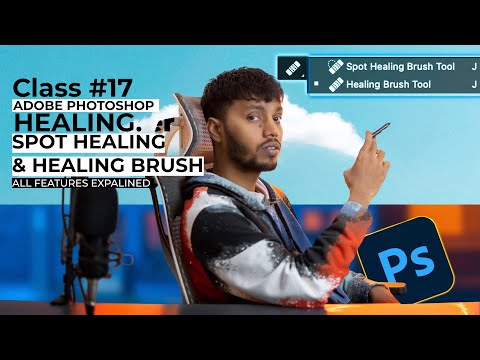
Welcome to Class 17 of our Beginner to Advanced Photoshop Full Course! 🎨 In this video, we dive into the "Healing Brush Tool" and "Spot Healing Brush Tool", two of the most powerful tools for retouching and perfecting images in Photoshop. Whether you're looking to remove blemishes, fix imperfections, or blend textures seamlessly, these tools will become your go-to solutions! ✨ What You'll Learn: 1️⃣ Healing Brush Tool – How to remove imperfections with precision by sampling and blending. 2️⃣ Spot Healing Brush Tool – Automatically remove spots, blemishes, and small distractions in one click! 3️⃣ Pro Tips – Best settings and techniques to achieve professional-level results. 4️⃣ Real-World Examples – Practical applications for portrait retouching and image editing. Who Is This For? - Beginners exploring Photoshop for the first time. - Intermediate learners enhancing their editing skills. - Advanced users looking for hidden tips and tricks. Don’t miss this chance to elevate your Photoshop skills! 🖌️ Support me: UPI ID realabhishekrai@okhdfcbank (Google Pay/PhonePe/Paytm/Amazon Pay and all other UPI apps ) Class #17 Images - https://shorturl.at/SFREg Course Full Playlist - https://www.youtube.com/playlist?list=PLJ2suobEJCtvSxMrGiYYvzUDsY8DCHuGg ## Free Photoshop Brushes Download [Top 5 Websites] - https://youtu.be/3cxizSLrKBY Tabs to buy for photo manipulation: Buy Link: (AMAZON) One by Wacom CTL 472: https://amzn.to/3QtIeTk XP PEN Deco Mini 7: https://amzn.to/3Ql5QtC ## Video for tab comparison: https://youtu.be/5BM7vRgfSQs 🔔 SUBSCRIBE for more 📧 BUSINESS inquiries | [[email protected]](mailto:[email protected]) ✨ Instagram | [www.instagram.com/realabhishekrai](http://www.instagram.com/realabhishekrai) ✨ Twitter | [www.twitter.com/realabhishekrai](http://www.twitter.com/realabhishekrai) 📸 My Setup Products Camera | https://amzn.to/3r7KU23 Lens | https://amzn.to/3EwcR6E Camera Tripod | https://amzn.to/3Z6Xo6A Mic | https://amzn.to/45eqUso Softbox Light | Laptop | https://amzn.to/482yYPQ Tab For Photoshop Use | https://amzn.to/3Ev0W9l (WACOM) // https://amzn.to/465HdsF (XP-PEN) RGB Key Light | https://amzn.to/3Z7OHJb Light Strip | https://amzn.to/3Z6s0VI // https://amzn.to/3Z538xL Studio Chair | https://amzn.to/45Iu8We // https://amzn.to/3qVpKnX Not sponsored. Timecodes 0:00 Intro 0:58 Start 1:16 Spot Healing Brush Tool 4:24 Proximity Match 6:20 Create Texture 7:45 Diffusion 10:30 Healing Brush Tool 12:40 Modes Healing Brush 18:35 Color & Luminosity 21:30 Pattern Healing Bursh 22:45 Aligned 24:15 Ignore Adjustment Layers 26:12 Pen Pressure Healing Brush Tool 27:25 Modes Usecase 28:15 Thoughts #adobephotoshop #photoshopinhindi #photoshopcourse #healingbrushtool #spothealingbrushtool #adobehealingbrush

Continue this lesson in the app
Install CourseHive on Android or iOS to keep learning while you move.