
Summary
Full Transcript
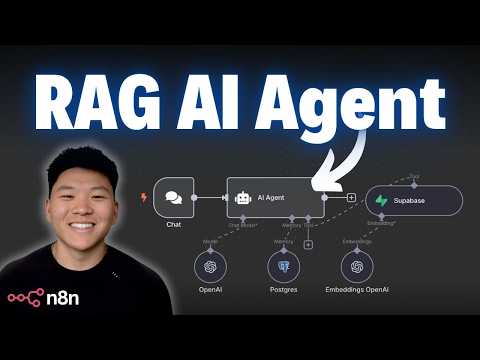
Full courses + unlimited support: https://www.skool.com/ai-automation-society-plus/about All my FREE resources: https://www.skool.com/ai-automation-society/about Apply for my YT podcast: https://podcast.nateherk.com/apply Work with me: https://uppitai.com/ My Tools💻 FREE MONTH voice to text: https://get.glaido.com/nate Code NATEHERK for 10% off VPS (annual plan): https://www.hostinger.com/vps/claude-code-hosting Ready to build your first AI agent with real knowledge of your own data? In this step-by-step tutorial, I’ll show you how to go from zero to building your very first RAG (Retrieval-Augmented Generation) agent in just 20 minutes—using n8n and a Supabase vector database. This is designed for complete beginners. No coding required. You’ll learn what RAG is, how vector databases work, and how to connect it all into a working system that can answer questions based on your documents. If you’ve been curious about AI agents but didn’t know where to start, this is the perfect place to begin. Sponsorship Inquiries: 📧 [email protected] Connect with me: https://www.linkedin.com/in/nateherkelman/ https://x.com/nateherk https://www.instagram.com/nateherk/ WATCH NEXT: https://youtu.be/Ik8OHT3w4pE?si=58-J3hJecjpZ80if TIMESTAMPS 00:00 What is RAG? 01:07 What is a Vector Database? 01:59 RAG Pipeline 03:16 RAG Agent 04:40 Today’s Example 05:10 Data Sources & Agent Triggers 06:22 Build Starts 09:06 Supabase Credential Setup 12:36 OpenAI API Credential Setup 14:20 RAG Agent Build 15:57 Testing RAG Agent 16:42 Reading Agent Logs 17:20 Setting up Memory 21:15 Want to Master n8n? Gear I Used: Camera: Razer Kiyo Pro Microphone: Blue Yeti USB

Continue this lesson in the app
Install CourseHive on Android or iOS to keep learning while you move.




![SEO Course [2026 Updated]](https://i.ytimg.com/vi/HeeUHugrG5U/hqdefault.jpg)
