
Summary
Keywords
Full Transcript
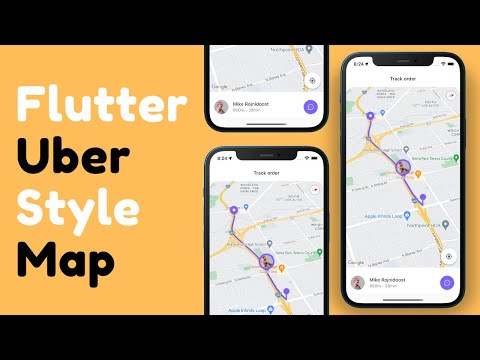
🔥Flutter UI Kit: https://cutt.ly/rFOscFo In this Flutter Tutorial, You will learn to use Google Maps in #flutter with some customization, like How to set Custom Image Marker and Draw Route Direction Polylines on Google Map. ✅ Starting Code: https://cutt.ly/BKgylib ✅ Complete code: https://cutt.ly/XKrC2sp Learn: 👉 Adding Google Maps to Flutter 👉 Custom Marker on Google Map 👉 Draw Route Direction Polylines 👉 Implement Real-time Location Updates ►For the 3D intro, I'm using Rotato: https://bit.ly/3heGagj ►Support Us: https://www.patreon.com/theflutterway ► Social Media GitHub: https://github.com/abuanwar072 Twitter: https://twitter.com/theflutterway Twitter: https://twitter.com/abuanwar072 (my personal profile) Facebook: https://www.facebook.com/theflutterway ► Timestamps 0:00 Intro 0:12 Project Setup ⚙️ 1:31 GoogleMap Widget 1:47 Marker 📍 2:24 Draw route 〰 3:37 Current Location 🗺 4:35 iOS Simulator route setup🍎 4:55 Android Emulator route setup 5:37 Map camera update on location change 6:58 Custom Marker on Google Map📍 8:18 Flutter Shop UI Kit 🔥 Thanks for watching! Make sure to like + Subscribe For More!

Continue this lesson in the app
Install CourseHive on Android or iOS to keep learning while you move.




