
Summary
Keywords
Full Transcript
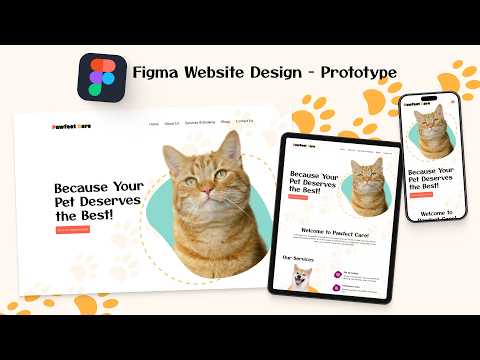
In this video, I walk you through the complete design process of creating a pet care website built entirely in Figma. In this part of the course, I'll create the prototype for the desktop, tablet and mobile layouts. This video will give you a behind-the-scenes look at how I approach a real-world web design and UI/UX project from scratch. Text and images used in the project: https://github.com/KT3XS/Pet-Care-Website Course Playlist - https://www.youtube.com/playlist?list=PLJKCMC6sE_3T_ZEJts8dMi30V_Ooe0d1J Part 1 | Mood Board and Wireframe - https://youtu.be/8pl8agc3VLc Part 2 | Desktop Homepage - https://youtu.be/PRI8lJv3iJA Part 3 | Desktop About Page - https://youtu.be/l6A9Yao5zM4 Part 4 | Desktop Services Page - https://youtu.be/ocPLOMylMI0 Part 5 | Blogs and Contact Pages - https://youtu.be/jYXHKmVQjfQ Part 6 | Tablet Layout - https://youtu.be/I8B8j78tmVk Part 7 | Mobile Layout - https://youtu.be/9eZqn4SNFdc -------------------------------------------------------------------------------------- What type of website should I design next? Let me know below! Like this video if you found it helpful Subscribe for more UI/UX design content Comment your thoughts or questions below #figma #uidesign #petcare #wireframe #moodboard #uiux #uxdesign #uidesigntutorial #uidesign #uidesigntips #webdesign #webdesigner #uiuxdesign #uiuxdesigner #uiuxdesigners #uiuxdesigncourse #moodboard #wireframe #wireframes #prototype #prototypedesign #figma_tutorial #figmacourse #uiuxcourse

Continue this lesson in the app
Install CourseHive on Android or iOS to keep learning while you move.




![SEO Course [2026 Updated]](https://i.ytimg.com/vi/HeeUHugrG5U/hqdefault.jpg)
