
Summary
Keywords
Full Transcript
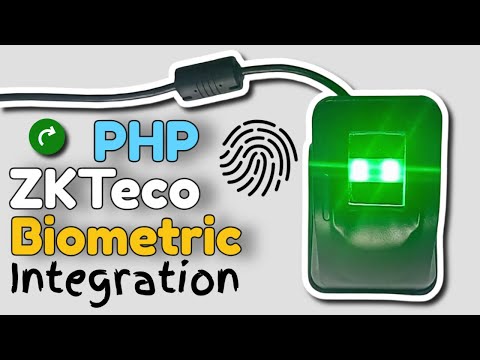
This video demonstrates an enterprise-grade PHP biometric integration implemented as a command-line (CLI) application using the ZKTeco 4500 fingerprint scanner SDK. Unlike browser-based solutions, this implementation runs entirely from the Windows command prompt, making it suitable for: ▪ Desktop biometric services ▪ Middleware and background biometric processes ▪ Kiosk and workstation-based biometric systems ▪ Legacy and constrained enterprise environments Key aspects demonstrated: ▪ PHP CLI integration with a native biometric SDK using FFI ▪ Direct interaction with the ZKTeco biometric API ▪ Real-time fingerprint image and template capture ▪ Proper device lifecycle management and resource cleanup This architecture shows how PHP can be used beyond web applications to build low-level biometric services that integrate directly with hardware SDKs. This is a capability demonstration for enterprise architects, system integrators, and decision makers. It is not a tutorial or training video. The demonstration focuses on biometric capture, SDK interoperability, and system-level integration, not UI or end-user workflows. #EnterpriseBiometrics #PHPCLI #SDKIntegration #ZKTeco #ZKTeco4500 #BiometricCapture #BiometricSDK #IdentityManagement #AccessControl #DesktopBiometrics #FFI #BackendServices Chapters: 00:00 Introduction – Enterprise PHP CLI Biometric Architecture 00:12 PHP CLI Version Overview 00:42 Running the Biometric Service (First Instance) 01:06 Running the Biometric Service (Second Instance) 01:29 PHP Application Code Structure Overview 02:01 Windows Command Prompt Environment 03:00 Navigating to the Biometric Application Directory 04:00 Executing the PHP Biometric Service 04:33 Device Error Encounter and Handling 05:50 ZKTeco SDK Error Documentation Reference 06:30 Reconnecting the ZKTeco Fingerprint Device 07:00 Service Execution After Device Reconnection 07:40 No Finger Presented – Capture Timeout Scenario 09:00 Active Finger Presentation on Second Instance 11:00 Live Fingerprint Capture Process 29:07 PHP–SDK Integration Walkthrough 29:09 Step 1 – Initializing the ZKTeco SDK (ZKFPM_Init) 30:06 Step 2 – Enumerating Connected Devices 31:12 Step 3 – Opening the Biometric Device 32:33 Step 4/5 – Retrieving Device Parameters (Width, Height, DPI) 37:09 Step 6 – Fingerprint Image Capture (Buffer & Loop) 41:37 Step 7 – Image Rendering Using GD Library 45:50 Step 8 – Fingerprint Template Extraction (Base64 Encoding) 47:48 Step 9 – Closing the Biometric Device 48:47 Step 10 – Releasing SDK Resources (ZKFPM_Terminate) 49:54 Conclusion – Enterprise Use Cases & Contact Information Looking for a Biometric Solution Architect? I help enterprises design, deploy and optimize production-ready biometric identity systems. I bridge the gap between biometric hardware and enterprise ecosystems across Windows, Linux, Android, Web, and edge computing (including Raspberry Pi).. Core Services: ▪ Architecture: Scalable biometric workflows meeting ANSI/ISO & GDPR standards ▪ Integration: Seamless SDK implementation for Web, Mobile and Desktop ▪ Recovery: Optimizing stalled or unstable legacy biometric deployments Engagement Tiers: ▪ Strategic consultation, SDK validation or Architecture review - from $1,599 ▪ Core Biometric Device integration - from $2,499 ▪ End-to-end Biometric System Development - from $2,999 ▪ Full-Scale Production Deployment and SLA support - from $3,499+ Standards: Commercial/enterprise only. Projects require a formal agreement and commitment deposit. Contact: Joseph Mwema | Biometric Solution Architect & Integration Engineer [email protected] | [email protected] | biometricsengineer.com | jomutech.com

Continue this lesson in the app
Install CourseHive on Android or iOS to keep learning while you move.

