
Summary
Keywords
Full Transcript
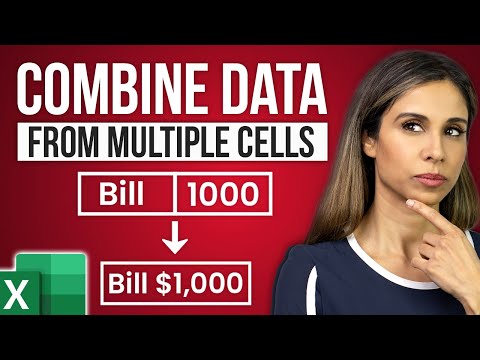
Join 400,000+ professionals in our courses here 👉 https://link.xelplus.com/yt-d-all-courses Stop struggling with the old CONCATENATE function. In this tutorial, you’ll learn the most efficient ways to combine text and numbers into one cell using the Ampersand (&) operator and the Excel TEXT function. ⬇️ Download the workbook here: https://www.xelplus.com/combine-two-columns-excel/#download Crucially, I also share a "pro-level" bonus trick: how to use Custom Number Formatting to add text labels to your numbers while keeping them fully calculable for sums and formulas. 00:00 Introduction: The Problem with Combining Data 00:42 Using the Ampersand (&) to Merge Multiple Cells 01:13 How to add Spaces and Special Characters (Dashes, Symbols) 02:53 Formatting Numbers within Text: Using the TEXT Function 04:11 Pro Tip: How to find and copy Custom Number Format codes 05:00 The Bonus Trick: Disguising Numbers as Text with Custom Formatting 06:07 Why Custom Formatting is better than Merging for Calculations 07:07 Summary and Best Practices 🔍 What You'll Learn: - How to dynamically combine data from multiple cells in Excel. - Techniques to include text in calculations without losing number formats. - Using the TEXT function for precise number formatting in combined data. 👩💼 Perfect for: - Excel users keen on enhancing their data presentation. - Anyone looking to streamline their spreadsheet tasks. - Excel enthusiasts eager to learn advanced data manipulation tricks. 📌 Key Highlights: - Combine text and numbers while keeping data dynamic. - Make Excel recognize text within numbers for formula calculations. - Apply number formatting within combined text and number cells. 🎬 Learn more about custom number formatting: https://youtu.be/68Tet_8BNB8 ➡️ Join this channel to get access to perks: https://www.youtube.com/channel/UCJtUOos_MwJa_Ewii-R3cJA/join 👕☕ Get the Official XelPlus MERCH: https://xelplus.creator-spring.com/ 🎓 Not sure which of my Excel courses fits best for you? Take the quiz: https://www.xelplus.com/course-quiz/ 🎥 RESOURCES I recommend: https://www.xelplus.com/resources/ 🚩Let’s connect on social: Instagram: https://www.instagram.com/lgharani LinkedIn: https://www.linkedin.com/company/xelplus Note: This description contains affiliate links, which means at no additional cost to you, we will receive a small commission if you make a purchase using the links. This helps support the channel and allows us to continue to make videos like this. Thank you for your support! #Excel

Continue this lesson in the app
Install CourseHive on Android or iOS to keep learning while you move.

