
Summary
Keywords
Full Transcript
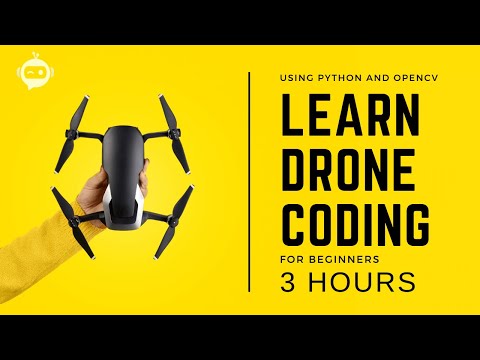
🚨🚨📢📢 Don't Have a Tello Drone? Check out our New Python Drone Simulator 🚨🚨📢📢 https://www.kickstarter.com/projects/cvweb/pysimverse/ This is the Drone programming with python course. Here we are going to learn the basics of a drone including the components and how the drone flies. Then we will look at the installations and the basic movements along with image capture. From there we will create exciting projects including Surveillance drones, Face tracking, and line following drones. If you are a beginner don't worry this course is for you we will focus on the implementation part so that you can get the most practical experience out of this. And even though we will be using a specific drone for this course 80% of the material covered in this course can be used with any drone. Advanced Drone Programming Course: https://bit.ly/3qs3v5g Buy the Tello Drone: https://amzn.to/2t4l2pW Download Code: https://www.computervision.zone/courses/drone-programming/ Premium Courses: ✔️ Computer Vision Game Development Course: https://bit.ly/3ttLZ2s ✔️ Computer Vision with Arduino Course: https://bit.ly/3wzLB4m ✔️ Advanced Drone Programming Course: https://bit.ly/3qs3v5g ✔️ Learn to Build Computer Vision Mobile Apps: https://bit.ly/3uioY1J ✔️ Jetson Nano Premium Course: https://bit.ly/3L8uIlF Follow Me: TikTok: https://bit.ly/3Vo76OQ Facebook Group: https://bit.ly/3irDcb7 Discord: https://bit.ly/3JvyxAM Facebook Page: https://bit.ly/3IvpU7W Instagram : https://bit.ly/3NdGME3 Website: https://bit.ly/3ICFTS0 Github: https://bit.ly/3woU6PS ⚙️⚙️⚙️—-My Gear — ⚙️⚙️⚙️ 👉 Complete Gear 💈: https://www.computervision.zone/tech-gear/ 👉 My PC Specs 🖥️: https://www.computervision.zone/tech-gear/filter/tax/tgcat:285/ 👉 My Video Shooting Gear📽️ : https://www.computervision.zone/tech-gear/filter/tax/tgcat:284/ 👉 My Laptops 💻: https://www.computervision.zone/tech-gear/filter/tax/tgcat:290/ 👉 Educational Products🧑🎓: https://www.computervision.zone/tech-gear/filter/tax/tgcat:295/ 👉 Youtube Starter Kit 🔴: https://www.computervision.zone/tech-gear/filter/tax/tgcat:299/ My Setup: Mouse: https://amzn.to/3tsx3BR Mechanical Keyboard: https://amzn.to/3JyVV0q Normal Keyboard: https://amzn.to/3L325WJ GPU: https://amzn.to/3NdzmjW CPU: https://amzn.to/3wsmhgI SSD: https://amzn.to/3wzY7AS MIC: https://amzn.to/3D43TMk Camera: https://amzn.to/36yvl90 3D Printer: https://amzn.to/3ipWNZ4 Sim Race: https://amzn.to/3IqfvKJ #ComputerVision #OpenCV #CVZone Time Stamps: 00:00 Intro 1:00 What is a drone? 2:14 Components of a drone 05:56 How does a drone fly? 08:42 Tello Drone 11:25 App Setup and Test Run 15:07 Installations 19:21 Basic Movements 31:16 Image Capture 36:27 Keyboard Control 59:13 Project 1 - Surveillance 1:10:34 Project 2 - Mapping 1:52:15 Project 3 - Face Tracking 2:32:18 Project 4 - Line Follower

Continue this lesson in the app
Install CourseHive on Android or iOS to keep learning while you move.




