
Summary
Keywords
Full Transcript
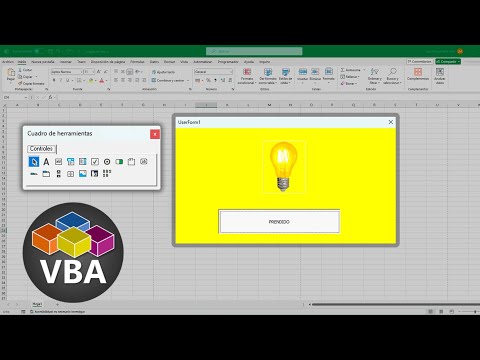
Uso del ToggleButton en un formulario VBA de Excel que nos va a servir para manipular trabajar con encendido/apagado. Cuando lo pulsas, se aprieta hacia dentro, y cuando lo vuelves a pulsar, vuelve a salir. 00:00 Control ToggleButton. 02:07 Insertar Formulario. 02:29 Insertar Botón de Alternar. 02:50 Editar Propiedades. 03:19 Crear Estructura de Botón. 04:54 Botón en Prendido. 05:31 Botón en Apagado. 06:04 Insertar Control Imagen. 07:44 Quitar Bordes. 👇 Puedes ver el curso en la lista de reproducción👇 https://www.youtube.com/watch?v=ocfurE964-g&list=PL1yslgETgkYFfOw1lP2W8Vros9v_xE5Bd&index=1&t=0s 👇 Puedes ver el curso en la web👇 https://eltiotech.com/curso-completo-vba-macros-excel/ VISITA NUESTRAS PÁGINAS WEB: 🔵 https://www.eltiotech.com 🔵 https://www.tiotech.net 📩 Únete a telegram: https://t.me/eltiotech 📒 Únete a WhatsApp: https://whatsapp.com/channel/0029VaEaioE3mFYCM6e7jR33 SÍGUENOS EN NUESTRAS REDES SOCIALES 🔴 TikTok: https://www.tiktok.com/@eltiotech_ 🔴 Instagram: https://www.instagram.com/luismiguelvelavela/ 🔴 https://www.facebook.com/eltiotechoficial

Continue this lesson in the app
Install CourseHive on Android or iOS to keep learning while you move.





