
Summary
Keywords
Full Transcript
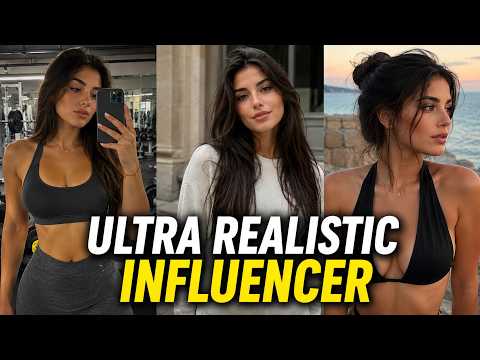
Try Influencer Studio: https://influencerstudio.com?fpr=wealthwise97 Want to create ultra-realistic AI influencer videos that look completely real? In this step-by-step tutorial, I'll show you the EXACT workflow I use to generate AI influencer images with perfect character consistency and turn them into stunning, lifelike videos — all using Influencer Studio and Kling 2.6 Motion Control. 🔥 What you'll learn: ✅ How to create and train your own AI influencer ✅ Using Pinterest + a custom GPT for detailed JSON prompts ✅ Generating hyper-realistic images in any pose & setting ✅ Turning AI images into smooth, realistic videos with motion control ✅ Side-by-side comparisons that will blow your mind Custom GPT for Image Prompts: https://chatgpt.com/g/g-693e430c99e0819198b39530ca311d74-nb-pro-json-prompts-wealthwise Don’t forget to like, share, and subscribe if you find this tutorial useful! Tools I Use: 💡For Voiceovers- Elevenlabs: https://try.elevenlabs.io/jxcz0cnd6hol 💡For Images & Videos- Higgsfield AI: https://higgsfield.ai/?fpr=kunbnnsf Playlist: Master Faceless YouTube Playlist: https://www.youtube.com/playlist?list=PLIv68X33-Y1-WEQNWS4zss9EtC2PcG7sQ Best Tools For Faceless YouTube Playlist: https://www.youtube.com/playlist?list=PLIv68X33-Y18qJIbgrJ3IqdFE1ELklkuu 🔥 Don’t forget to like, subscribe, and turn on notifications for more AI tips and tricks! If you have any questions, drop them in the comments. Stay Connected: - Instagram: https://www.instagram.com/wealth_wise007/ - Facebook: https://www.facebook.com/wealthwise007 - Email- [email protected] Credits: https://www.vecteezy.com/ Have any questions? Drop them in the comments below! #AIInfluencer #AIVideo #AITools #InfluencerStudio #AIVideoGeneration #Kling #AITutorial #VirtualInfluencer #AIContent #RealisticAI #WealthWise

Continue this lesson in the app
Install CourseHive on Android or iOS to keep learning while you move.




