Summary
Full Transcript
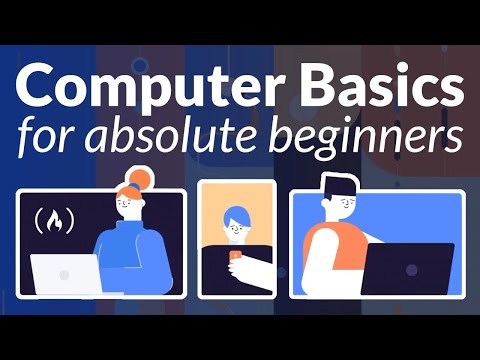
Learn basic computer and technology skills. This course is for people new to working with computers or people that want to fill in some gaps about their computer knowledge. ✏️ This course was developed by GCF Global. Check out their YouTube channel: https://www.youtube.com/c/GcflearnfreeOrgplus 🔗 GCF Global offers more free learning resources at their website: https://www.GCFLearnFree.org ❤️ Support for this channel comes from our friends at Scrimba – the coding platform that's reinvented interactive learning: https://scrimba.com/freecodecamp ⭐️ Course Contents ⭐️ ⌨️ (00:00:00) Introduction ⌨️ (00:00:55) What Is a Computer? ⌨️ (00:03:37) Buttons and Ports on a Computer ⌨️ (00:06:01) Basic Parts of a Computer ⌨️ (00:08:47) Inside a Computer ⌨️ (00:10:58) Getting to Know Laptop Computers ⌨️ (00:12:55) Understanding Operating Systems ⌨️ (00:14:21) Understanding Applications ⌨️ (00:15:53) Setting Up a Desktop Computer ⌨️ (00:18:47) Connecting to the Internet ⌨️ (00:22:41) What Is the Cloud? ⌨️ (00:25:06) Cleaning Your Computer ⌨️ (00:29:02) Protecting Your Computer ⌨️ (00:32:17) Creating a Safe Workspace ⌨️ (00:36:25) Internet Safety: Your Browser's Security Features ⌨️ (00:38:36) Understanding Spam and Phishing ⌨️ (00:43:27) Understanding Digital Tracking ⌨️ (00:45:39) Windows Basics: Getting Started with the Desktop ⌨️ (00:47:40) Mac OS X Basics: Getting Started with the Desktop ⌨️ (00:52:26) Browser Basics English This video has been dubbed using an artificial voice via https://aloud.area120.google.com to increase accessibility. You can change the audio track language in the Settings menu. Spanish Este video ha sido doblado al español con voz artificial con https://aloud.area120.google.com para aumentar la accesibilidad. Puede cambiar el idioma de la pista de audio en el menú Configuración. Portuguese Este vídeo foi dublado para o português usando uma voz artificial via https://aloud.area120.google.com para melhorar sua acessibilidade. Você pode alterar o idioma do áudio no menu Configurações. 🎉 Thanks to our Champion and Sponsor supporters: 👾 Nattira Maneerat 👾 Heather Wcislo 👾 Serhiy Kalinets 👾 Erdeniz Unvan 👾 Justin Hual 👾 Agustín Kussrow 👾 Otis Morgan -- Learn to code for free and get a developer job: https://www.freecodecamp.org Read hundreds of articles on programming: https://freecodecamp.org/news

Continue this lesson in the app
Install CourseHive on Android or iOS to keep learning while you move.