
Summary
Keywords
Full Transcript
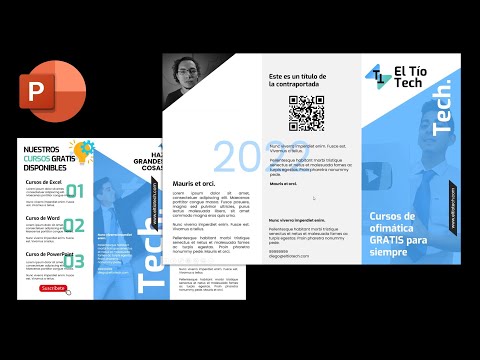
Aprende a hacer un tríptico profesional paso a paso en PowerPoint. Descarga la plantilla aquí 👇👇👇 🔴 No olvides revisar nuestra GUÍA DEFINITIVA ✅ https://eltiotech.com/guia-tripticos-completa/ ✅ https://tiotech.net/tutorial/como-hacer-un-triptico-la-guia-definitiva/ para aprender y descargar Trípticos en Word, PowerPoint, Publisher y Canva. ✅ Link con los recursos multimedia: https://eltiotech.com/clase-04-recursos-powerpoint/ 📢 Suscríbete a mi otro canal: https://bit.ly/MiguelVela 00:00 Tríptico en PowerPoint. 03:39 Hoja A4. 05:12 Dividir en Tres Partes. 06:38 Diseñó de Tríptico. 07:07 Fuentes Tipografícas. 07:49 Google Fonts. 10:07 Asignar Páginas. 12:00 Portada de Tríptico. 13:56 Añadir Imagen. 15:40 Diagrama de Flujo. 17:10 Cuentagotas. 18:11 Cambiar Opacidad. 20:51 Contraportada de Tríptico. 23:26 Insertar Foto. 25:55 Diseño parte Trasera. 30:54 Añadir Icono. 36:15 Plantillas en la Descripción. 🎯Síguenos en TikTok: https://www.tiktok.com/@excelformulas_ 🤗 Visita nuestras redes sociales: Sitio web: https://www.tiotech.net https://www.eltiotech.com Facebook: https://www.facebook.com/eltiotechoficial Instagram: https://www.instagram.com/luismiguelvelavela/ 💌 Únete a nuestro canal de Telegram: https://t.me/eltiotech (chat, noticias y más) 🟩 Grupo de ayuda Excel: https://www.facebook.com/groups/excelayudas/ 🟦 Grupo de ayuda Word: https://www.facebook.com/groups/2954410744838915

Continue this lesson in the app
Install CourseHive on Android or iOS to keep learning while you move.





