
Summary
Keywords
Full Transcript
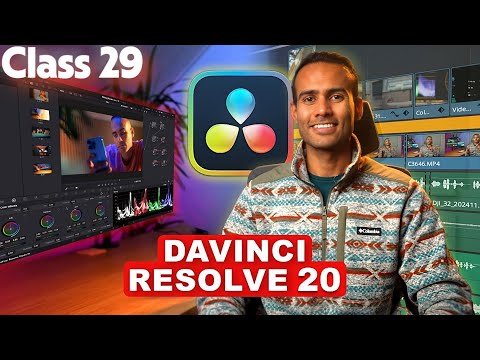
Welcome to the DaVinci Resolve 20 Masterclass! In this video, we’ll give you a complete overview of what you’ll learn throughout the course — from video editing and color grading to motion graphics and sound design. ----------------------------------------------------------------------------------------------------------------- In this lesson, we explore the Color Slice Tool, one of the newest and most intuitive ways to adjust and enhance individual color ranges inside DaVinci Resolve 20. This tool allows you to control hue, saturation, and luminance for specific color slices, making color grading faster, cleaner, and more precise. 🎨 In this class, you will learn: ✔️ What the Color Slice Tool is ✔️ Understanding the 6–8 color slices ✔️ Adjusting hue, saturation & luminance per color ✔️ Fixing oversaturated skin tones ✔️ Balancing greens, blues & reds ✔️ Enhancing specific colors without affecting the whole image ✔️ Creating stylized looks using color slices ✔️ Pro workflow tips & grading examples This session will help you perform targeted corrections and creative looks with ease using one of Resolve 20’s most efficient color tools.project. ----------------------------------------------------------------------------------------------------------------- Resources: - Download RAW Files - https://tinyurl.com/yc54e7cv - Watch DaVinci Resolve 19 Version - https://www.youtube.com/playlist?list=PLNLA7EsgTsU7XFfsp7xAAs4PTcH6V9-1z ----------------------------------------------------------------------------------------------------------------- 🔗About This Channel: The goal of this channel is to teach you and make your skills better as a Graphic Designer, we will start from scratch. So it doesn't matter that you are a beginner or on intermediate level you will find something new every time you come back to this channel. Sit back and enjoy the video! ----------------------------------------------------------------------------------------------------------------- #DaVinciResolve20 #ColorSliceTool #ColorGrading #VideoEditing #Resolve20 #DaVinciResolveTutorial #ColorTools #FilmmakingTips #EditingWorkflow

Continue this lesson in the app
Install CourseHive on Android or iOS to keep learning while you move.




![SEO Course [2026 Updated]](https://i.ytimg.com/vi/HeeUHugrG5U/hqdefault.jpg)
