
Summary
Keywords
Full Transcript
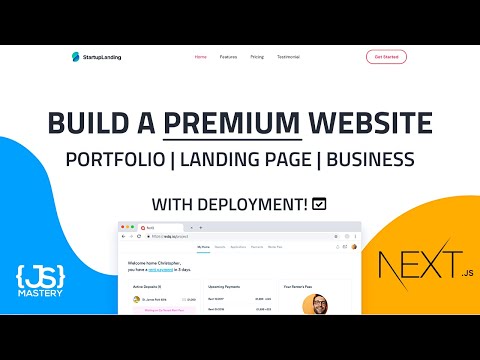
In this video, you're going to build and deploy a professional Next.js landing page! 💻JS Mastery Pro - https://jsmastery.pro?discount=youtube ✅ A special YOUTUBE discount code is automatically applied! ⭐Hostinger - https://www.hostinger.com/javascriptmastery Discount Code: JAVASCRIPTMASTERY 📚 Materials/References: The folder including the starer files got deleted. You can code this project from scratch. Start by initializing a new Next.js project, and then run the following command to install all necessary dependencies: npm install dotenv framer-motion globby isomorphic-unfetch next-compose-plugins next-optimized-images prettier rc-drawer react-custom-scrollbars react-ga react-icons react-modal-video react-multi-carousel react-scroll react-stickynode theme-ui typeface-dm-sans Startup Landing: https://startuplanding.redq.io Master JavaScript: https://www.completepathtojavascriptmastery.com Use the special promo code "YOUTUBE" on checkout to save $60! 💼 Business Inquiries: E-mail: [email protected] 📧 Join our JavaScript Mastery's Newsletter on Web Development, JavaScript & React to get exclusive programming guides, tips & tricks, and entire e-books: https://resource.jsmastery.pro/newsletter 🔥 ❤️ Support JavaScript Mastery & Suggest Future Videos: BuyMeACoffe: https://www.buymeacoffee.com/JSMastery Patreon: https://www.patreon.com/javascriptmastery 🌎 Find Me Here: Discord Group: https://discord.gg/n6EdbFJ Instagram: https://instagram.com/javascriptmastery Twitter: https://twitter.com/JS_Mastery Time Stamps 👇 00:00:00 Intro 00:04:04 Setup 00:12:20 Header 00:39:32 Banner Section 00:44:24 Key Feature Section 00:56:28 Services Section 01:13:29 Features Section 01:18:10 Core Feature Section 01:22:55 Workflow Section 01:27:37 Pricing Section 01:54:29 Team Section 02:00:50 Testimonial Section 02:10:40 Footer 02:15:23 Deployment

Continue this lesson in the app
Install CourseHive on Android or iOS to keep learning while you move.




