Summary
Keywords
Full Transcript
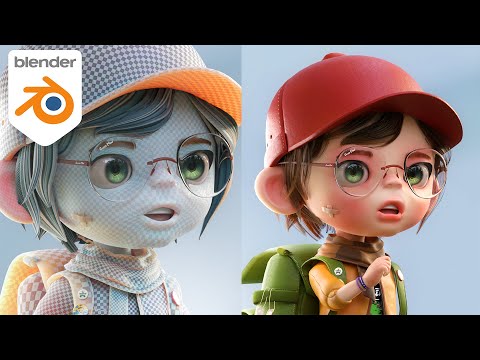
#blender3d #gamedev #3danimation Learn how to texture paint a low-poly PS1-style character in Blender. This tutorial covers the simplistic texturing techniques needed to achieve that classic PlayStation 1 aesthetic and retro realism. Perfect for beginners! Previous Episode (making the model): https://youtu.be/uIHuqFLa_X0 ***LIKE WHAT YOU SEE? TRY OUT MY COURSES:*** My Complete Blender Creator single course only $15 https://www.gamedev.tv/courses/complete-blender-creator?ref=ywqzmjc My Mega Pathway Course - build your own asset packs $60: https://www.gamedev.tv/bundles/blender-pathway?ref=ywqzmjc Character Creator single course: Only $15 https://www.gamedev.tv/courses/blender4-character-creator?ref=ywqzmjc SOCIALS: Substack for Articles & Written Tutorials: https://grantabbitt.substack.com/ Gumroad For Free Beginners Booklet: https://grantabbitt.gumroad.com/ My Website: http://www.gabbitt.co.uk Discord: https://discord.gg/uwF2fcm Buy Me a Coffee: https://ko-fi.com/M4M21GGIWE OTHER USEFUL YOUTUBE TUTORIALS: Learn the basics of Blender 4: https://youtu.be/lLqep5Q4MiI Get good at blender series: https://www.youtube.com/playlist?list=PLn3ukorJv4vvv3ZpWJYvV5Tmvo7ISO-NN Learn Sculpting playlist: https://www.youtube.com/playlist?list=PLn3ukorJv4vvJM7tvjet4PP-LVjJx13oB 00:00:00 Introduction & Tutorial Goal (PS1 Realism) 00:01:38 Preparing for Texturing: UV Editing Workspace 00:02:47 Smart UV Project (Unwrapping the Model) 00:03:45 Entering the Texture Paint Workspace 00:04:59 Setting Up the Material & Texture Slot 00:07:33 Setting the PS1 Texture Resolution (Low-Res) 00:08:24 Changing the Paint Brush Settings 00:09:44 Applying the Base Colors (Texture Painting) 00:13:30 Switching to Erase/Blend Mode 00:15:31 Setting Up the Shading for PS1 Look 00:16:35 Making the Texture Sharper/Crisper 00:17:28 Crucial Step: Saving the Image File 00:17:35 Final Polish: Shade Smooth (For Better Look)

Continue this lesson in the app
Install CourseHive on Android or iOS to keep learning while you move.