Summary
Keywords
Full Transcript
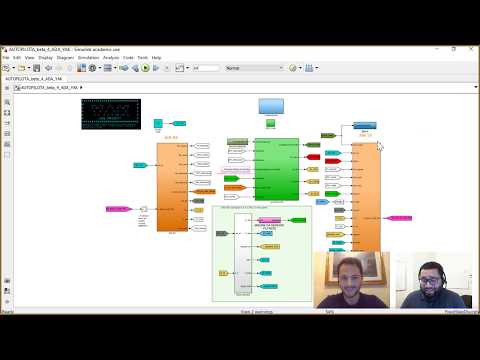
To design custom autopilots, Claudio Conti of Sapienza Flight Team at Sapienza University of Rome joins Connell D’Souza of MathWorks to talk about using Model-Based Design to develop a custom autopilot. The Sapienza Flight Team competes in AUVSI’s Student Unmanned Aerial Vehicle Competition (SUAS) where teams design autonomous fixed- or rotary-wing aircrafts to perform search and reconnaissance tasks. Create and Configure MATLAB S-Functions: http://bit.ly/2E5oZgY Learn more about Simulink: https://goo.gl/nqnbLe Code Generation Tutorials: http://bit.ly/2E7cCRQ Claudio will explain the architecture and control strategy in his custom autopilot before demonstrating how they used Simulink® to develop the autopilot model. His team created S-functions to interface with the different sensors on their aircraft, as well as to encode and decode MAVLink messages to communicate with the autopilot from the ground station before using the code generation capabilities in Simulink to deploy it to a custom-built avionics box consisting of an Arduino® Due and a Raspberry Pi™ connected over serial. To simulate this autopilot, Claudio and his team employed real-time hardware-in-the-loop simulation techniques using a dSPACE® real-time machine. They used Aerospace Blockset™ to model their airplane, the environment, and sensors in Simulink before deploying it to a dSPACE real-time machine using the Real-Time Interface. This simulation involves an aircraft, environment, and sensor models running on the dSPACE machine, the autopilot running on the avionics box, QGroundControl and FlightGear Flight Simulator to visualize the trajectory on a desktop computer, and MAVLink is used to communicate between the different nodes. Get a free product Trial: https://goo.gl/ZHFb5u Learn more about MATLAB: https://goo.gl/8QV7ZZ See What's new in MATLAB and Simulink: https://goo.gl/pgGtod © 2018 The MathWorks, Inc. MATLAB and Simulink are registered trademarks of The MathWorks, Inc. See www.mathworks.com/trademarks for a list of additional trademarks. Other product or brand names maybe trademarks or registered trademarks of their respective holders.

Continue this lesson in the app
Install CourseHive on Android or iOS to keep learning while you move.