
Summary
Keywords
Full Transcript
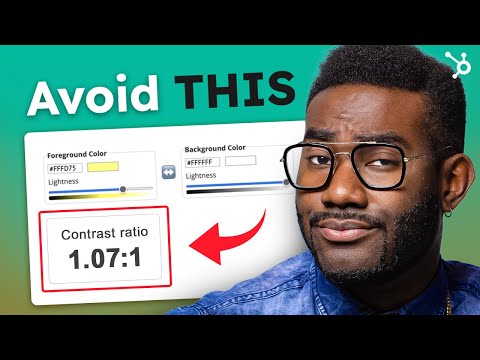
1.3 billion people worldwide have disabilities. Here's how to make your website work for everyone (and rank better on Google). Download HubSpot's Official Website Accessibility Checklist [FREE RESOURCE]: https://clickhubspot.com/rr4 Website accessibility isn't just about ADA compliance or WCAG standards; it's about giving every visitor a great user experience. And here's the kicker: better web accessibility means better SEO, higher conversion rates, and faster performance. It's a win-win for your business and your audience. In this video, we break down 6 actionable tips to improve your website accessibility right now: using alt text for images to help screen readers and search engines understand your content, choosing colors thoughtfully for the 12 million Americans with color blindness, optimizing text size and style for readability, using proper markups (H1, H2, H3) so screen readers can navigate your site, making your site keyboard-friendly for people who don't use a mouse, and adding captions and transcripts for the 15% of Americans with hearing impairment. Plus, we're giving you two free resources: the Ultimate Website Accessibility Guide and a complete accessibility testing checklist to make sure your pages are 100% compliant before you publish. 🛠 Resources: • Web Accessibility: The Ultimate Guide: https://clickhubspot.com/ii6 • A Web Accessibility Checklist to Make Your Content 100% Compliant: https://clickhubspot.com/g8i 📔 Grow Your Career and Business with HubSpot Academy: https://clickhubspot.com/Popular-Courses 📔 Favorite Free Certification Courses: • Digital Marketing Certification: https://clickhubspot.com/od6 • Social Media Marketing Course: https://clickhubspot.com/Social-Media-Certification • SEO Training Course: https://clickhubspot.com/SEO-Training-Course • Inbound Course: https://clickhubspot.com/Inbound-Certification • Inbound Marketing Course: https://clickhubspot.com/Inbound-Marketing-Certification • Email Marketing Course: https://clickhubspot.com/Email-Marketing-Certification • Inbound Sales Course: https://clickhubspot.com/Inbound-Sales-Certification • Taking your Business Online Course: https://clickhubspot.com/Business-Online Timestamps 00:00 Why Website Accessibility Matters 00:54 What is Website Accessibility? 01:29 Why Accessibility is Important (Business + Legal) 02:30 Tip 1: Use Alt Text for Images 03:42 Tip 2: Use Colors Thoughtfully 05:21 Tip 3: Improve Text Size & Readability 05:54 Tip 4: Use Proper Headings & Markup 06:24 Tip 5: Enable Keyboard Navigation 07:09 Tip 6: Make Content Accessible for Hearing Impairments 07:29 Accessibility Mindset (Inclusive UX Principles) 07:49 Test Your Website with Real Users 08:09 Free Resources (Guide + Checklist) 08:40 Closing thoughts About HubSpot: HubSpot is a leading CRM platform that provides education, software, and support to help businesses grow better. The platform includes marketing, sales, service, and website management products that start free and scale to meet our customers’ needs at any stage of growth. Today, thousands of customers around the world use HubSpot’s powerful and easy-to-use tools and integrations to attract, engage, and delight customers. ⚠ Disclaimer: The videos on our YouTube channel are for informational purposes only, and are not intended as an endorsement for any of the products or services that we feature. #HubSpot #WebsiteAccessibility #ADACompliance

Continue this lesson in the app
Install CourseHive on Android or iOS to keep learning while you move.




