Summary
Keywords
Full Transcript
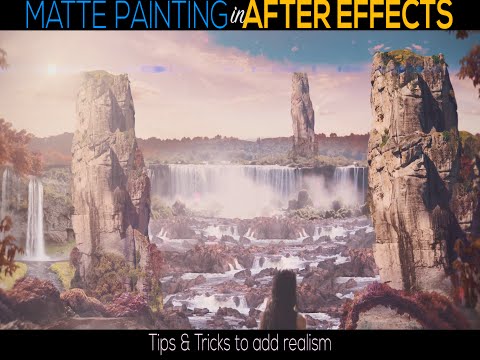
Today we create a 3D matte painting and environment completely inside of After Effects. In this video we explore some of the tips and tricks that I have found useful to add as much realism to the shot as possible. Here is a full time-lapse of the creation of the matte painting: https://www.youtube.com/watch?v=frFQx8s3LJk Interested in getting After Effects CC? Buy it here: https://goo.gl/eNop8t Get Amazing Light Overlay FX and help support the channel: VINTAGE LIGHT FX https://www.kriscoart.com/vintagelightfx Check out Video Blocks! http://vblocks.co/x/KriscoartProductions062015 Check out these assets for your Post Production workflows: Best Stock Footage: https://bit.ly/3bMISIm Awesome Sound Effects: https://bit.ly/2SUaB0O Best Cinema 4D Templates: https://bit.ly/2UVmG8D COOL VFX ELEMENTS: https://goo.gl/WVLgBd Make it Awesome! Check out these amazing products that I use all the time: Envato: https://bit.ly/39mHVUV https://bit.ly/2HkR5p2 Production Create: https://bit.ly/39lsj3V Smashworks: https://bit.ly/2OHTkGX Musicbed: https://bit.ly/2OCL1w4 -------------------------------------------------------------------------------------------------------------- Check out these previous tutorials on Matte Paintings: MORE MATTE PAINTING TIPS! https://www.youtube.com/watch?v=nXOC_Ksayno 3D TRACKING TUTORIAL (EASY) https://www.youtube.com/watch?v=Lo_PQKl-WzQ 3D TRACKING TUTORIAL (INTERMEDIATE) https://www.youtube.com/watch?v=CT5Lm_pZq-Y 2D MOTION TRACKING https://www.youtube.com/watch?v=-Db-B7AcTQw SET EXTENSIONS https://www.youtube.com/watch?v=AC1L_sdod8w -------------------------------------------------------------------------------------------------------------- Music by: Kris Truini - All over and back Computer Specs: MacBook Pro 15" 16GB RAM Shot using: Sony A7s, Tamron 2.8 70-200mm, Rokinon CINE 24mm, Rode Smart Lav+ , Cine4 Color Profile. ⬇ MY GEAR ⬇ Sony a7s https://goo.gl/VSPhm9 Sony a7s II https://goo.gl/zxlsFk Sony 24-70mm https://goo.gl/HqZeYQ Sony 55mm https://goo.gl/yIDfFn Tamron 70-200mm https://goo.gl/b5eGnD Tamron 15-30mm https://goo.gl/tZCYyB Animated in After Effects CC Edited in Premiere CC Graded with Magic Bullet Looks INSTAGRAM: http://instagram.com/kriscoart TWITTER: https://twitter.com/kriscoart FACEBOOK: www.facebook.com/kriscoart Kriscoart is a filmmaking channel and company based on the core values to Learn, Create, Share. The editing and VFX tutorials, lighting workshops, and short film break downs are a small step towards free education hoping that one day this can be an integral part in providing the tools and knowledge so that every filmmaker’s voice and unique perspective is heard. If you are interested in learning tips and cinematic camera techniques and giving an epic flare to your edits while staying true to the emotion of the story then Subscribe for more films, tutorials and filmmaking videos. For business inquiries please contact me here: [email protected] Thank you for watching!

Continue this lesson in the app
Install CourseHive on Android or iOS to keep learning while you move.