
Summary
Keywords
Full Transcript
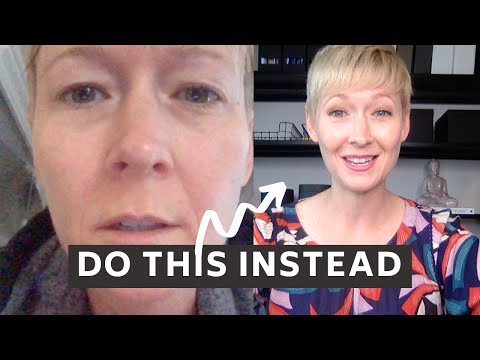
Teaching on Zoom doesn't have to feel awkward or exhausting. These 10 Zoom adjustments will immediately improve how you look, sound, and connect with students online even if you're working with basic equipment. ✅ What's covered: • Finding a quiet, distraction-free space • Background setup (physical and virtual) • Camera angle for professional eye contact • Lighting basics that make a real difference • What to wear on camera • Headphones vs. speakers — what actually works • External microphone options at every budget • How to look into the camera (not the screen) • Posture habits that project confidence • Bringing energy that translates through a screen Whether you're new to teaching online or looking to level up your online teaching setup, these zoom tips for teachers work immediately — no expensive gear required. Chapters 00:00 Introduction & Overview 01:13 Tip 1: Find a Quiet Space 02:02 Tip 2: Background Setup 03:19 Tip 3: Camera Angle 04:32 Tip 4: Lighting 06:39 Tip 5: What to Wear 08:16 Tip 6: Headphones 09:32 Tip 7: External Microphone 10:36 Tip 8: Look Into the Camera 11:25 Tip 9: Posture 12:46 Tip 10: Bring Energy Resources mentioned in this video 💻 Laptop stand | https://amzn.to/39BMtIz 💡 Ring light | https://amzn.to/2A6nHmB 💡 Small desk-size ring light | https://amzn.to/2ZB8VOE 🎧 AirPods | https://amzn.to/3f0ljwg 🎧 Sennheiser headphones (for podcasting, voice-overs, and online teaching) | https://amzn.to/2Ungmpg 🎙️ Fifine microphone (affordable & great for clear audio) | https://amzn.to/3f4aQ36 My Complete Online Teaching Tech & Tools List → https://amzn.to/3jQBB34 📚 Continue learning: → Student Engagement Activities: https://youtu.be/dYzy2zsdp84 → My Complete Online Teaching Setup: https://youtu.be/hGD_lFIAcxA 🎓 Online Teaching Setup & Engagement Playlist: https://www.youtube.com/playlist?list=PLit_70db88TRzrS1PZJpxm_RGxOSDJ5ts Affiliate Disclaimer: This description may contain affiliate links, which means I may receive a small commission if you make a purchase through the links at no extra cost to you. Thank you for supporting the channel.

Continue this lesson in the app
Install CourseHive on Android or iOS to keep learning while you move.





